The Difference Between Hardware, Software, and Firmware
We use computers, smartphones, smart TVs, gaming consoles, and countless other electronic devices every day. Yet many people have heard the terms hardware, software, and firmware without fully understanding what each one means.
Although they work together, they serve very different purposes. Think of it like driving a car. The physical car is the hardware, the driver following directions is the software, and the built-in systems that make the car start and function are similar to firmware.
Once you understand these three concepts, it becomes much easier to understand how modern technology works.
Hardware is the physical equipment
Hardware refers to the physical parts of a device—the components you can touch and see.
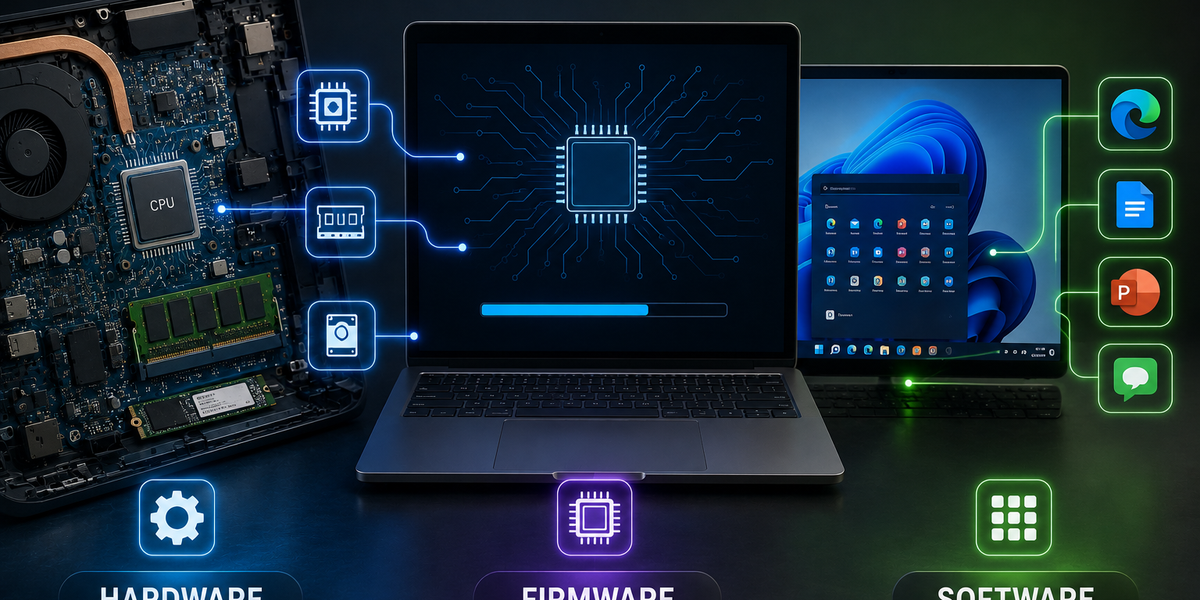
For example, the hardware inside a laptop includes the processor (CPU), memory (RAM), storage drive, motherboard, battery, keyboard, screen, speakers, and cooling fan. In a smartphone, the camera, display, battery, and charging port are all hardware.
Without hardware, a computer or phone simply wouldn’t exist. However, hardware alone cannot do very much.
Imagine buying a brand-new laptop with no operating system or applications installed. The physical machine would be there, but it wouldn’t know what to do. That’s because hardware needs software to become useful.
Hardware provides the foundation, but it depends on instructions to perform tasks.
Software tells the hardware what to do
Software is a collection of instructions that tells hardware how to operate.
Unlike hardware, software isn’t something you can physically touch. It’s made up of programs and code that allow devices to perform specific tasks.
The operating system—such as Windows, macOS, Android, or iOS—is software. So are web browsers, games, photo editors, music apps, word processors, and messaging applications.
Whenever you open an app, type a document, watch a video, or browse the internet, you’re using software.
One of the biggest advantages of software is that it can be updated, replaced, or expanded without changing the physical device. You can install new applications, update existing ones, or remove software entirely while keeping the same hardware.
In many ways, software is what gives a device its personality and functionality.
Firmware sits somewhere in between
Firmware is often the least understood of the three, but it’s just as important.
Firmware is specialized software permanently—or semi-permanently—stored inside a hardware device. Its job is to control the device’s basic functions before the main operating system even starts.
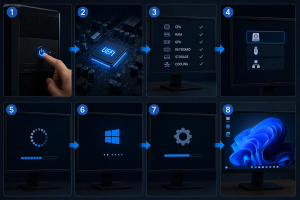
For example, when you press the power button on your computer, firmware is responsible for checking that essential hardware components are working properly before handing control over to the operating system.
Many everyday devices contain firmware, including:
- Wireless routers
- Smart TVs
- Digital cameras
- Printers
- Bluetooth headphones
- Game controllers
- Washing machines
- Microwaves
Even a simple keyboard contains firmware that tells it how to respond when you press a key.
Unlike regular software, firmware usually changes very rarely. Manufacturers occasionally release firmware updates to improve security, fix bugs, or add support for new features, but these updates happen far less frequently than software updates.
How they work together
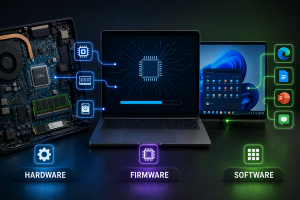
The easiest way to understand the relationship between hardware, software, and firmware is to see them as a team.
Imagine you want to take a photo using your smartphone.
First, the hardware provides everything needed to capture the image—the camera sensor, lens, processor, storage, and display.
Firmware controls the camera hardware itself, ensuring the sensor, autofocus, and other low-level functions operate correctly.
Then the camera app, which is software, provides the interface you use to switch modes, press the shutter button, edit the image, and share it with others.
Without hardware, there would be no camera.
Without firmware, the camera hardware wouldn’t know how to operate.
Without software, you wouldn’t have an easy way to control the camera or view your photos.
Each part depends on the others.
Why understanding the difference matters
Knowing the difference between these three terms can help when troubleshooting technology problems.
For example, if your laptop screen is physically cracked, that’s a hardware issue. If an application keeps crashing, it’s likely a software problem. If your Wi-Fi router isn’t functioning properly and the manufacturer recommends updating its firmware, the issue lies at a lower level within the device.
Understanding these distinctions also makes technology easier to understand overall. You’ll better appreciate why some problems can be solved with a simple software update while others require replacing physical components.
It’s also why manufacturers often release different kinds of updates. A phone may receive a software update for new features while separately receiving a firmware update that improves battery charging or camera performance.
Three different pieces of the same puzzle
Hardware, software, and firmware each play a unique role, but none can function effectively on its own.
Hardware provides the physical components. Software delivers the features and applications we use every day. Firmware bridges the gap, helping hardware perform its most basic operations before higher-level software takes over.
Every smartphone, laptop, smartwatch, gaming console, and smart appliance depends on all three working together seamlessly.
The next time you power on a device, remember that you’re not just using one piece of technology—you’re relying on hardware, software, and firmware working together in perfect coordination to make modern computing possible.