What Happens When You Click “Send” on an Email
But have you ever wondered what actually happens during those few seconds?
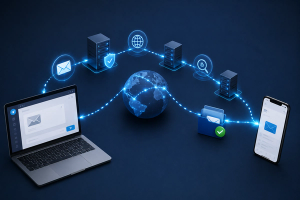
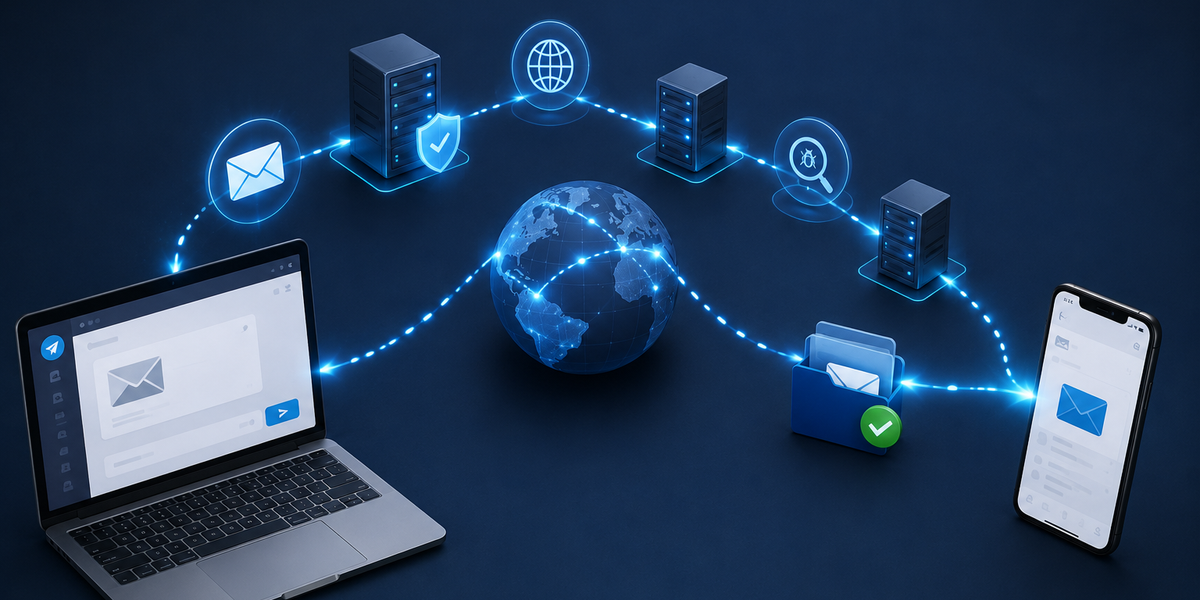
Behind the scenes, your email doesn’t travel directly from your computer to the recipient. Instead, it passes through several servers, uses specialized communication protocols, and is carefully routed across the internet before arriving at its destination.
Here’s a simple step-by-step explanation of what happens every time you click “Send.”
Step 1: Your email is prepared
The process begins the moment you press the “Send” button.
Your email application first gathers everything that makes up your message, including:
- The recipient’s email address
- Your email address
- The subject line
- The message itself
- Any attachments, such as photos or documents
This information is packaged into a format that email servers can understand.
Think of it like placing a letter into an envelope, writing the sender and recipient addresses on the outside, and sealing it before mailing it.
Step 2: Your email goes to youSending an email feels almost instantaneous.
You finish writing your message, attach a file if needed, click “Send,” and within seconds it appears in someone else’s inbox—whether they’re across the office or on the other side of the world.r email provider
Your email doesn’t immediately travel to the recipient.
Instead, it is first sent to your email provider’s outgoing mail server. If you’re using services like Gmail, Outlook, or Yahoo Mail, their servers become responsible for delivering your message.
Before accepting the email, the server performs a few quick checks.
It verifies that you’re authorized to send emails from your account, scans the message for potential security issues, and prepares it for delivery.
All of this usually happens in a fraction of a second.
Step 3: The internet finds the recipient’s mail server
Now your email needs to locate the correct destination.
The recipient’s email address contains the domain name—for example, example.com in name@example.com.
Using the Domain Name System (DNS), your email server looks up where emails for that domain should be delivered. Specifically, it searches for special records called MX (Mail Exchange) records, which identify the correct incoming mail server.
You can think of DNS as the internet’s address book.
Instead of remembering complicated server addresses, email servers simply ask DNS where messages should be delivered.
Step 4: The email travels across the internet
Once the destination server has been identified, your email begins its journey across the internet.
It travels through multiple routers, networks, and internet providers before reaching the recipient’s mail server.
Although this sounds complicated, the journey usually takes only a few seconds.
Interestingly, the route your email follows isn’t always the same. Internet traffic is constantly optimized, meaning your message may take a different path depending on network conditions.
The process is similar to using a navigation app that automatically selects the fastest route based on current traffic.
Step 5: The recipient’s mail server checks the message
When the email reaches the destination server, another round of checks begins.
Before placing the message into the recipient’s inbox, the server examines it for possible problems.
These checks may include:
- Spam detection
- Virus scanning
- Authentication verification
- Attachment safety checks
- Sender reputation
If everything looks legitimate, the server accepts the email and stores it in the recipient’s mailbox.
If something appears suspicious, the message may be sent to the spam folder, quarantined, or rejected entirely.
These security measures help protect users from phishing attempts, malware, and unwanted emails.
Step 6: The recipient receives the email
Now the email has officially arrived.
The next time the recipient opens their email app—or if it automatically checks for new messages—the app connects to their email server and downloads the latest emails.
Within moments, your message appears in their inbox, ready to be opened.
From the recipient’s perspective, it simply looks like a new notification has appeared.
Behind the scenes, however, the email has already completed an impressive journey across multiple computer systems.
What if the email can’t be delivered?
Sometimes an email doesn’t reach its destination.
There are several possible reasons for this.
The recipient’s email address may have been entered incorrectly. Their mailbox could be full. Their server might be temporarily unavailable, or the message may have been blocked by security filters.
In many cases, the sending server will continue trying to deliver the email for several hours before giving up.
If delivery ultimately fails, you’ll often receive a notification explaining why the message couldn’t be delivered.
Why email is still so reliable
Despite being one of the oldest internet technologies still in widespread use, email remains remarkably reliable.
Every day, billions of emails are successfully delivered around the world within seconds.
Its reliability comes from standardized communication protocols, redundant servers, automatic retries, and multiple layers of security working together behind the scenes.
Although newer forms of communication such as messaging apps have become popular, email remains essential for business, education, banking, healthcare, and countless other services.
More than just a click
Clicking “Send” feels simple, but a surprising amount of technology is involved.
Your message is packaged, verified, routed through servers, directed by the internet’s address system, scanned for security threats, delivered to the correct mailbox, and finally displayed on the recipient’s device.
All of this usually happens in just a few seconds.
The next time you send an email, remember that your message isn’t simply disappearing into the internet. It’s taking a carefully coordinated journey through a global network designed to deliver billions of messages quickly, accurately, and securely every single day.